
Logging in at XtraSpin Casino is designed to be quick and straightforward, whether you use your email + password or choose a one-click option like Google sign-in. Below you’ll find a simple step-by-step guide, password reset tips, and common fixes if something doesn’t work.
The login window clearly shows “Welcome back” and includes a handy password visibility icon to double-check what you typed before signing in.
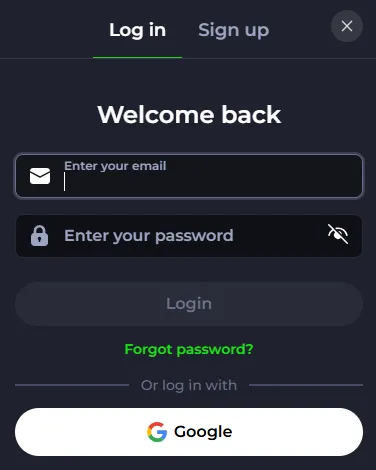
Prefer skipping passwords? XtraSpin Casino supports Google login directly from the same pop-up:
This is especially convenient on mobile or shared devices (just remember to log out afterwards).
If you can’t remember your password:
Tip: check your spam/junk folder if you don’t see the reset email quickly.
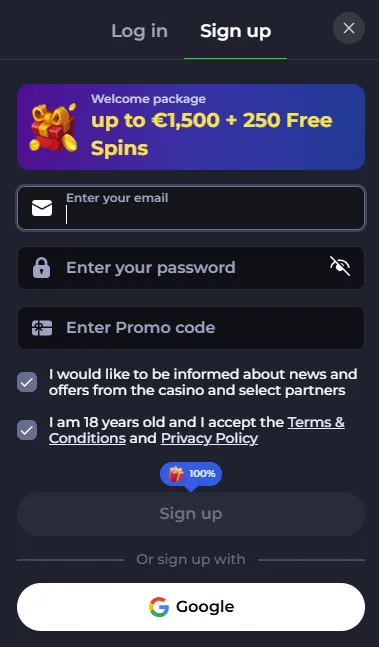
XtraSpin Casino keeps registration next to login (no separate page needed):
New players will also see the welcome message in the sign-up box: “Welcome package up to €1,500 + 250 Free Spins.” (as displayed in the registration pop-up).
If you’re stuck, these are the most common solutions:
XtraSpin Casino highlights responsible play and access protection tools like Self-Exclusion and policy sections (KYC, privacy, terms) in its footer navigation.
The site is also displayed as operating under IntellogixSoft B.V. and licensed by the Curaçao Gaming Authority (license OGL/2024/1121/1020) with an active status shown on the official certificate page.
If you can’t log in after trying the steps above, the site provides support via email:
support@xtraspin.com
You can also use the on-site Help Centre entry from the interface (visible in the lobby menu).
Yes—use the Google option in the login pop-up for quick access.
Inside the login pop-up—click “Forgot password?” under the Login button.
Yes. The site states it accepts customers over 18 and promotes responsible gambling.
The official certificate lists IntellogixSoft B.V. as the operator, licensed by the Curaçao Gaming Authority under OGL/2024/1121/1020.